110 Practices. 182 Artifacts.
Here's What CMMC Level 2 Actually Requires.
Less overwhelming than it sounds — when you understand what's in scope.
⚠️ Self-Assessment Programs Only. The L2 CUI Enclave Package is scoped for CMMC Level 2 programs eligible for annual self-assessment. Programs required to use a C3PAO are not in scope. Not sure which applies to you? A free 30-minute consultation can help you figure it out.
When people hear that CMMC Level 2 has 110 practices and 182 artifacts, they picture an enterprise compliance program — the kind that requires a dedicated security team, months of work, and a six-figure consultant. That picture is wrong if you're using the CUI enclave approach.
Here's the key reframe: those 110 practices apply to your CUI enclave — not your entire company. If your contract involves handling Controlled Unclassified Information (CUI) in a defined, limited footprint, CMMC Level 2 is scoped to that footprint. Your main business systems, admin tools, and general email traffic outside the enclave aren't in scope.
This post breaks down what 110 practices actually cover, what 182 artifacts look like in plain language, how the work is divided across roles, and why the right package maps every single practice to a defined deliverable — so nothing is left to guesswork.
The Scope Is Smaller Than You Think
The first thing to understand about CMMC Level 2 and CUI is that compliance is scoped. You're not certifying your entire organization — you're securing the environment where CUI lives.
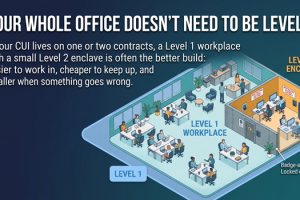
In practice, this means a dedicated CUI enclave: a defined set of devices, a cloud platform (Google Workspace for Government or Microsoft 365 GCC High), and the users who access CUI. That's your compliance boundary. Everything inside gets assessed. Everything outside stays out of scope.
What "Enclave Scoped" Means in Practice
This is the right-sizing that makes CMMC Level 2 achievable for small businesses. You're not rebuilding your entire IT infrastructure — you're securing a defined, bounded environment.
The 14 CMMC Level 2 Domains — What Each One Covers
CMMC Level 2 maps to NIST SP 800-171 and organizes its 110 practices into 14 security domains. Here's what each domain actually covers in plain terms:
Who can get into your CUI systems, how access is granted and revoked, and what limits are placed on what users can do.
Security awareness for anyone who touches CUI — what they know, how they're trained, and how that training is documented.
Logging activity in your CUI environment — who did what, when, and being able to review those logs.
Establishing baseline configurations for your CUI devices and systems — and controlling changes to those configurations.
Verifying that users are who they say they are — strong passwords, MFA, and managing credentials for CUI access.
What you do when something goes wrong — detecting incidents, responding to them, and documenting what happened.
How CUI systems are maintained and updated — patches, remote maintenance controls, and who is authorized to perform it.
How physical and digital media containing CUI is handled, stored, transported, and destroyed.
Controlling physical access to CUI systems and devices — who can get to the hardware, and how that access is managed.
Screening individuals before they handle CUI and managing what happens when someone leaves the organization.
Identifying, analyzing, and prioritizing risks to your CUI environment — and keeping a Risk Register current.
Evaluating your security controls, developing a System Security Plan, and maintaining a Plan of Action & Milestones (POAM).
How CUI is protected in transit and how your system boundaries are defined and enforced.
Protecting your CUI systems from malware, monitoring for threats, and keeping software patched and current.
When you look at them this way, none of these domains are exotic or surprising. They're the fundamentals of securing a defined system. The challenge isn't understanding what they require — it's having the documentation, configuration, and evidence to prove you're doing it.
Want to See the Full Artifact Breakdown for Your Platform?
That's exactly what a free 30-minute consultation covers. We'll walk through what the 182 artifacts look like specifically for Google Workspace for Government or Microsoft 365 GCC High — and which ones apply to your CUI footprint.
Book Your Free 30-Minute Walkthrough Learn About the L2 PackageWhat "182 Artifacts" Actually Means
An artifact is just proof. It's a document, a configuration record, a screenshot, a log, or a signed policy that demonstrates you're actually implementing a security practice — not just saying you are. "182 artifacts" sounds like a mountain of paperwork until you break it down by type.
📌 Important framing: You don't write 182 documents from scratch. The L2 CUI Enclave Package provides pre-filled templates for every artifact. Your job is to customize them to reflect your specific organization, platform, and CUI footprint — and then implement the controls they describe. We provide the templates and consulting; you implement.
Who Does What: The Three Roles in L2 Compliance
One of the most practical ways to understand the 182 artifacts is to look at which role is responsible for each type. Most small businesses handle all three roles with two or three people — and the package is designed with that in mind.
- Signs and dates policies (approx. 36 documents)
- Makes formal approval decisions on access and risk
- Conducts quarterly security reviews
- Signs the annual self-assessment affirmation
- No technical implementation required
- Implements configuration guides for the CUI enclave
- Performs monthly maintenance and patching
- Collects and files evidence (screenshots, logs)
- Manages user access and MFA enforcement
- Primary implementer — does not need to be a full-time IT staffer
- Follows written procedures for handling CUI
- Completes annual security awareness training
- Reports security incidents per the IR procedure
- Uses only authorized CUI devices and platforms
- Acknowledges policies they've read and understood
Time estimates are included for every task in the L2 CUI Enclave Package, so you can plan implementation around existing work commitments. The goal is a compliance program that's implementable part-time — not a second job for your whole team.
L1 + L2 Side-by-Side: The Complete Compliance Stack
If you're a contractor who handles both FCI (Federal Contract Information) and CUI, you may need both levels. L1 covers your main business systems under your prime contract. L2 covers your CUI enclave specifically. Together, they represent full coverage.
Covers Your Main Business
- 15 practices across 6 domains
- 142 defined artifacts
- Applies to all systems that process Federal Contract Information (FCI)
- Annual self-assessment required
- Affirmation submitted to SPRS
- Most clients complete in 2–4 weeks
- $2,495/year — includes 8 consultation sessions
Covers Your CUI Enclave
- 110 practices across 14 domains
- 182 defined artifacts
- Applies to the enclave where CUI is processed and stored
- Annual self-assessment (self-assessment programs only)
- SPRS score + self-assessment package
- Implementable part-time with time estimates provided
- $3,495/year — includes 12 consultation sessions
Combined Stack: $5,990/year
L1 Turnkey Package ($2,495) + L2 CUI Enclave Package ($3,495) = complete CMMC compliance coverage for contractors who handle both FCI and CUI. Both packages include bi-weekly expert consulting sessions, platform-specific templates, and defined artifacts for every practice.
L1 currently includes a $500 limited-time discount. Regular price is $2,995.
Platform Variants: Google Workspace for Government vs. M365 GCC High
The L2 CUI Enclave Package is designed for one of two platforms. Your artifact set is tailored to whichever you choose — you won't be translating enterprise documentation or adapting generic templates. You get only what applies to your environment.
- Chromebook or Windows configuration guides included
- GWS admin console configuration documented
- Drive, Meet, Gmail CUI handling procedures
- Google Vault for audit log retention
- BeyondCorp / context-aware access controls
- Intune / Endpoint Manager configuration guides included
- Teams, SharePoint, Exchange CUI handling procedures
- Conditional Access Policy documentation
- Defender for Business integration steps
- Windows 11 CUI device configuration guides
In both cases, the package provides configuration guides and templates — clients implement the controls using their own platform subscription. Overwatch Tools does not have access to your environment or provide hands-on configuration services.
Every Practice Mapped. No Guesswork on What Counts as Evidence.
One of the most common failure points in CMMC self-assessment isn't implementing the controls — it's not knowing what evidence to collect, how to format it, or which artifact satisfies which practice. A blank-slate compliance effort leaves you constantly asking: "Is this enough? Does this count?"
The L2 CUI Enclave Package eliminates that ambiguity. Every one of the 110 practices maps to a defined artifact. You know exactly what document you're producing, what it needs to contain, and which practice it satisfies.
What "Every Artifact Defined" Looks Like
This mapping is what distinguishes a compliance package from a generic consulting engagement. You're not starting with a list of requirements and figuring out what to create. You're starting with a complete library of defined deliverables and working through implementation with consulting support.
Ready to Walk Through What This Looks Like for Your Business?
A free 30-minute consultation covers your CUI footprint, your platform options, and what the 182 artifacts look like in your specific context. No obligation — just clarity.
Schedule Your Free 30 Minutes View the L2 CUI Enclave PackageThe Bottom Line
110 practices and 182 artifacts is not a small compliance program — but it's a manageable one when three things are true:
- The scope is limited to your CUI enclave — not your whole organization
- Every practice maps to a defined artifact — no guesswork on what counts
- Time estimates exist for every task — so implementation is plannable part-time
Small defense contractors have been achieving CMMC Level 2 self-assessment without enterprise IT, without full-time security staff, and without six-figure consultants. The right structure makes the difference.
⚠️ Reminder: The L2 CUI Enclave Package is designed for CMMC Level 2 programs eligible for annual self-assessment. If your contract requires a C3PAO assessment, this package is not in scope for that requirement. Consult your contracting officer or the CMMC-AB to confirm your assessment type before purchasing.
Overwatch Tools | CMMC Compliance Solutions
Making CMMC Compliance Achievable for Small Defense Contractors