The Home & Small-Office Network Guides
You've thought about your office. Have you thought about the people logging in from their kitchen tables? Because CMMC has.
Most small contractors spend their CMMC prep worrying about the office — the server, the firewall, the badge reader. Then someone asks the question nobody planned for: what about the people working from home? And the room goes quiet.
Here's the thing nobody warned you about. If anyone on your team works from home — even part of the time, even just you on a Friday — that home environment is very likely in your CMMC scope. The kitchen table, the spare-bedroom desk, the router the cable company dropped off three years ago: all of it can be in play.
This is, by a wide margin, the single biggest blind spot we see in small defense contractors. It's not that people get it wrong. It's that most don't know to look there at all. And it's exactly the place where DIY compliance efforts quietly stall — because every home setup is different, and there's no obvious place to start.
So let's open the blind spot, walk through the most common home and small-office gaps, and show you the deliverable most CMMC vendors never put on the table: the home & small-office network setup guides included in the L1 Turnkey package.
Why Home and Small-Office Environments Are in Scope
CMMC doesn't care about your floor plan. It cares about where Federal Contract Information (FCI) — and at Level 2, Controlled Unclassified Information (CUI) — is accessed, stored, processed, or transmitted. The scope follows the data, not the building.
So if an employee opens a contract document from their personal laptop at home, checks email containing FCI from the couch, or saves a deliverable to a folder that syncs to a home machine, that home environment is now part of the picture an assessor cares about. The work doesn't become exempt because it happened off-site. If anything, the off-site environment usually gets less attention, which is precisely what makes it risky.
The blunt version: CMMC does not give you a pass for remote work. You still have to protect FCI whether it's accessed from a corporate office or someone's kitchen table. The standard is the same — only the environment changed.
For a one-location shop with everyone in the same room, this is manageable. But almost no small contractor actually works that way anymore. You've got a bookkeeper who works from home two days a week, a project lead who travels, an owner who answers email from the home office at night. Each of those is a small-office or home environment that may need to meet the same baseline as your main location.
The good news: "in scope" doesn't mean "impossible." It means there's a known set of things to get right — and a guide built specifically to walk you through them.
The 5 Most Common Home & Small-Office Gaps
Across the home setups we review, the same handful of gaps show up again and again. Here's what each one is, the risk it creates, and what "compliant" looks like in general terms. (Note: this is the shape of the requirement, not a step-by-step config walkthrough — the actual configuration lives in the guides.)
Home Router & Wi-Fi Configuration
The router the ISP handed over, running on default settings, is the most common weak point in any home setup. Default admin passwords, outdated firmware, and weak Wi-Fi encryption turn the front door of the network into an open one.
Default credentials and stale firmware mean the network protecting FCI is no more secure than the day it was unboxed — and it's invisible until someone asks.
The router admin account is secured with a strong, unique password, firmware is kept current, and Wi-Fi uses modern encryption. Documented, not assumed.
Guest Network & Personal-Device Separation
In most homes, the work laptop, the kids' tablets, the smart TV, and a dozen IoT gadgets all share one flat network. That means the device handling government contract data sits on the same segment as everything else in the house.
A compromised smart device or a family member's malware-laden download shares a network with the machine touching FCI. One weak link exposes the whole segment.
Work devices are separated from personal and household devices — typically via a dedicated or guest network — so the work environment isn't sharing space with everything else.
Separating Work Data from Personal Data
When someone uses a personal computer for work, contract files end up scattered across the Downloads folder, personal cloud storage, and email attachments — mixed in with vacation photos and tax returns.
FCI living alongside personal data on an unmanaged device is nearly impossible to control, track, or sanitize later. You can't protect what you can't even locate.
Work data is kept in defined, controlled locations — separate from personal data — so it can be managed, backed up, and removed cleanly when needed.
Physical Security of the Home Workspace
Physical security is easy to dismiss at home — until you remember CMMC expects FCI to be protected from unauthorized physical access, family members and houseguests included.
An unlocked laptop on the kitchen table, printed contract documents left in plain view, or a screen visible to anyone walking by is unauthorized access waiting to happen.
Devices lock when unattended, sensitive documents are secured, and the workspace limits who can see or reach the data. Simple habits, documented as practice.
Documenting That Remote Workers Meet Requirements
Even when a home setup is genuinely secure, there's usually nothing on paper proving it. And in CMMC, an undocumented control is treated as a control that doesn't exist.
You may have done everything right, but with no record, an assessor has no way to verify it. "We're careful at home" isn't evidence.
Each remote worker's environment is assessed and acknowledged in writing — a simple, dated record showing the home setup was reviewed against the requirements.
What the Home & Small-Office Network Setup Guides Actually Cover
This is the part most vendors skip entirely. They hand you a generic policy template that says "secure your home network" and leave you to figure out what that means. The toolkit takes the opposite approach: the home & small-office network setup guides give you the structure, the checklists, and the decision points for a compliant home environment — so you're not staring at a blank page.
To be clear about what these are and aren't: they're guides and checklists that tell you what compliant looks like and how to verify you're there. They are not a 40-step VPN tutorial or a brand-specific router walkthrough — because your router isn't your neighbor's router. The guides give you the framework; you apply it to your actual equipment, with expert checkpoints along the way.
🌐 Network Setup Checklists
What a compliant home or small-office network needs to have in place — router security, encryption, segmentation — in a checklist you can actually work through.
📶 Wi-Fi & Guest Separation Guidance
How to separate work devices from the household, framed as outcomes to achieve rather than vendor-specific button-clicks.
🗂️ Work / Personal Data Separation
Where work data should live, how to keep it apart from personal files, and how to keep it manageable on a home machine.
🔒 Physical Workspace Requirements
A practical checklist for securing the home workspace — screen locks, document handling, and limiting unauthorized access.
📝 Remote Worker Assessment & Acknowledgment
The documentation that proves each home environment was reviewed — the evidence an assessor actually wants to see.
🏢 Small-Office Variations
Guidance scaled for the tiny satellite office or shared workspace, not just the single home setup.
These guides are part of the 8 device & network configuration guides included in the Turnkey CMMC Level 1 package — alongside the device-level guides for Windows, Mac, iOS, and Android. Home and small-office networks aren't an add-on or an afterthought; they're built into the package because, for most small contractors, that's where real people are actually doing the work.
Not sure if your home setups are in scope?
Book a Free 30-Minute ConsultationL2 and CUI: Why a Dedicated Enclave Changes the Conversation
Everything above is the Level 1 picture, where we're protecting FCI and the realistic goal is a secured home and small-office environment. Level 2 — where Controlled Unclassified Information enters the equation — changes the home-network conversation entirely.
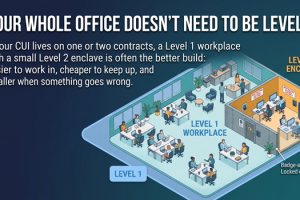
Here's the key shift: CUI generally should not live on a casual home network at all. Instead of trying to harden every employee's kitchen-table setup to handle CUI, the L2 approach moves CUI work into a dedicated enclave — a controlled environment on dedicated, CUI-only devices (Windows laptops or Chromebooks), built on Google Workspace for Government or Microsoft 365 GCC High.
L1 — Securing the Home Network
Federal Contract Information (FCI)FCI can be accessed from a properly secured home or small-office environment. The home & small-office network guides cover exactly how to bring that environment up to standard — router, Wi-Fi, separation, physical security, and documentation.
L2 — Moving CUI to a Dedicated Enclave
Controlled Unclassified Information (CUI)CUI work moves off the casual home network into a dedicated enclave on dedicated devices. The enclave-specific configuration guides cover this controlled environment — so CUI isn't riding on the same Wi-Fi as the smart TV.
This is why the L2 CUI Enclave Package centers on enclave configuration guides rather than home-network hardening. The whole point of the enclave is to create a clean, controlled boundary around CUI — one that doesn't depend on every remote worker's home setup being perfect. Your home network still matters for general work; CUI just doesn't belong on it.
⚠️ Self-Assessment Programs Only. The L2 CUI Enclave Package is scoped for CMMC Level 2 programs eligible for annual self-assessment. Programs required to use a C3PAO are not in scope.
Why This Is the Hardest Part to DIY
If there's one area where going it alone reliably stalls out, it's home and small-office networks. And the reason is simple: every home setup is different.
Your office network is one environment you can document once. But the moment you have remote workers, you have as many distinct environments as you have people — different routers, different ISPs, different house layouts, different personal devices, different levels of comfort with the technology. A single generic template can't account for that variability, which is exactly why generic templates fail here.
This is the honest reason home networks eat up a real share of our consultation sessions. It's not that the requirements are exotic — it's that applying them to ten different living rooms takes judgment, and a checklist plus an expert to talk it through beats a blank document every time. The guides give your team a consistent structure; the bi-weekly sessions let you work through the specific quirks of each real-world setup with someone who's seen them before.
The structure-plus-support model: The home & small-office network guides give every environment the same starting framework. The 8 bi-weekly consultation sessions in the L1 Turnkey are where you adapt that framework to the messy reality of actual homes — so variability becomes manageable instead of paralyzing.
Where the Home & Network Guides Fit
The home & small-office network setup guides aren't a separate purchase — they're part of the device & network guides built into the L1 Turnkey package. Here's the full picture.
L1 Turnkey Package
8 device & network config guides (incl. home & small-office networks), 8 bi-weekly sessions, 142 artifacts.
L2 CUI Enclave Package
Dedicated CUI enclave config guides (GCC High or Google Workspace for Government), 12 sessions, 182 artifacts. Self-assessment programs only.
Combined L1 + L2
Both levels — secured home/office environments for FCI and a dedicated enclave for CUI.
Let's Talk Through Your Home & Remote Setups
Bring your real situation — who works from home, what devices they use, how your network is set up. In under 30 minutes we'll walk through what's in scope, where the gaps are, and what compliant looks like for your specific setup. No pitch, no obligation.
If your home setups are already in good shape, we'll tell you that too.
Book Your Free Consultation Explore the PackagesYour kitchen-table office isn't a loophole. But it isn't a crisis either — not when you have the guide for it.