Is Your Microsoft 365 Actually CMMC-Ready?
A 12-Point Self-Audit for Defense Contractors
Microsoft 365 has more compliance-relevant settings than any other small business platform. That's its strength — and its risk.
By Overwatch Tools | CMMC Compliance Specialists | March 2026
If you run your business on Microsoft 365 and you're pursuing or maintaining defense contracts, you've probably told yourself at some point: "We have M365. We're probably fine."
Here's the reality: Microsoft 365 is one of the most capable platforms for CMMC Level 1 compliance — but only when it's configured correctly. And it has more compliance-relevant settings, more license-tier dependencies, and more places where a wrong answer quietly breaks your posture than any other small business platform on the market.
This isn't a criticism. It's an honest technical picture. M365's depth is precisely what makes it so powerful for compliance — but that same depth means there are a dozen places where "I think we have that turned on" isn't good enough.
The following 12-point audit is designed for Microsoft 365 users who want to know, with real confidence, where they actually stand. For each item, assess yourself against three statuses:
✅ Confirmed — You've verified this in the admin center and can document it.
⚠️ Unsure — You think it's configured, but haven't verified it recently or can't produce evidence.
❌ Not Done — This isn't configured, isn't applicable yet, or you're not sure where to find it.
Be honest. The whole point of this audit is to find the gaps before an assessor does.
⚠️ Note: This audit does not provide step-by-step fix instructions — that's the work we do together in consultation sessions. Its purpose is to help you accurately assess your current state and identify where you need professional review.
Part 1: The Foundation — Licensing and Account Type
Before you can configure anything correctly, you need to confirm you're working with the right version of Microsoft 365. This is the most frequently overlooked issue we encounter in M365 consultation sessions — and it's the one that makes everything else irrelevant if it's wrong.
CMMC Level 1 compliance requires security features that are only available in specific M365 tiers. The critical capabilities — Microsoft Intune for device management, Conditional Access policies, and Microsoft Defender for Business — are included in Business Premium and above, but not in Business Basic or Business Standard.
Many defense contractors discover too late that they've been running on Business Standard, assuming it was "good enough." It isn't. If you're not on Business Premium (or a GCC variant), you literally cannot configure several of the controls CMMC Level 1 requires.
What to verify: Log into your Microsoft 365 admin center → Billing → Your products. Confirm your subscription tier.
Special note for CUI handlers: If you handle Controlled Unclassified Information and may be subject to CMMC Level 2, commercial M365 tiers are not sufficient — you will need Microsoft 365 GCC High. More on this at the end of this post.
Part 2: Core Security Configuration
Once you've confirmed you're on the right licensing tier, the next layer is configuration. This is where the real complexity lives — and where most organizations have gaps they don't know about.
Multi-Factor Authentication is necessary but not sufficient. Per-user MFA (the basic version most small businesses enable) does not enforce policy-based access control. CMMC requires policy-enforced MFA — which means Conditional Access policies configured in Azure Active Directory / Entra ID.
The difference matters: per-user MFA can be bypassed in certain authentication flows. Conditional Access closes those gaps by applying rules at the policy level — requiring MFA based on user, device, location, and app conditions.
What to verify: Go to Microsoft Entra ID → Protection → Conditional Access. Are there active policies? Are they enforced (not just in report-only mode)?
Microsoft Intune is the device management backbone for CMMC-compliant M365 environments. But there's an important distinction: devices can be registered in Intune without being fully enrolled and managed. Registered devices don't receive the compliance policies, configuration profiles, or security baselines that CMMC requires.
Company-owned devices used for DoD work need to be fully enrolled in Intune, with compliance policies applied and actively monitored — not just registered for basic sync.
What to verify: In the Microsoft Intune admin center → Devices → Overview. Are company devices enrolled? Are compliance policies applied and returning "compliant" status?
Microsoft Defender for Business is included with Business Premium — but included doesn't mean configured. Many small businesses have Defender sitting in their tenant, untouched, because the license was part of a bundle purchased for other reasons.
For CMMC, Defender needs to be actively deployed to devices, configured with security policies, and monitored. An endpoint protection tool that isn't deployed is the same as not having one.
What to verify: In the Microsoft Defender portal, check whether onboarded devices appear under Assets → Devices. Are alerts being generated and reviewed?
Counting Your "Unsure" Answers?
If you've marked more than 2 items as Unsure or Not Done so far, a professional review is genuinely warranted — not as a criticism, but because the M365 admin environment is complex and these gaps are extremely common.
Schedule a Free 30-Minute ReviewPart 3: Logging, Data Controls, and Access Management
Unified audit logging in Microsoft Purview is the backbone of your ability to detect, investigate, and document security events. Here's what surprises many M365 users: it is not enabled by default in all tenants. Older tenants may have it disabled entirely.
If audit logging isn't enabled, you have no searchable record of user sign-ins, file access, admin changes, or security events — which means you cannot produce the evidence CMMC assessors look for.
What to verify: In the Microsoft Purview compliance portal → Audit → Search. If you can run a search, logging is enabled. If you see a setup screen or error, it's off.
By default, Microsoft 365 is designed to make collaboration easy — which includes allowing users to share files externally with anyone who has a link. For defense contractors handling Federal Contract Information, this is a significant risk that directly violates CMMC access control requirements.
Your SharePoint and OneDrive sharing settings need to be configured to prevent FCI from being shared with unauthorized external parties. This includes tenant-level sharing settings and site-level policies.
What to verify: In the SharePoint admin center → Policies → Sharing. What is your tenant-level external sharing setting?
Do your administrators perform admin tasks — adding users, changing security settings, managing licenses — using their regular day-to-day accounts? If so, this is a security gap. Privileged admin tasks should be performed from dedicated accounts separate from standard user accounts.
This reduces the blast radius if a standard account is compromised. A compromised regular account shouldn't also give an attacker global admin access to your M365 tenant.
What to verify: In Microsoft Entra ID → Users, check whether admin role assignments are on standard accounts or dedicated admin accounts.
Legacy authentication protocols — Basic Authentication, SMTP AUTH, POP3, IMAP — predate modern MFA. They cannot be protected by Conditional Access policies, which means any account that supports legacy authentication has a pathway to bypass your MFA entirely.
Microsoft has deprecated Basic Authentication in most M365 tenants, but SMTP AUTH and other legacy protocols may still be enabled. Attackers specifically target legacy auth because it sidesteps MFA controls.
What to verify: In Microsoft Entra ID → Monitoring → Sign-in logs, filter for "Legacy authentication client." Also check Conditional Access for a legacy auth block policy.
Part 4: Process Controls and Assessment Evidence
Configuration gets you to the technical baseline. Process controls and documentation evidence are what turn a secure environment into a demonstrably compliant one. This is the layer most small contractors underinvest in.
When an employee leaves, how quickly is their M365 access revoked? "As soon as we remember to" is not a CMMC-compliant answer. You need a documented, enforced offboarding process that includes immediate account disabling, revocation of active sessions, mailbox reassignment or archival, and removal from security groups.
CMMC requires that access is terminated promptly when it's no longer needed. Your offboarding procedure needs to be documented, and you need to be able to show evidence that you follow it.
What to verify: Do you have a written offboarding procedure that references your M365 environment? Can you show a recent log of a completed offboarding?
Microsoft Secure Score is a useful lens on your M365 security posture, but it requires interpretation. Not every recommendation is CMMC-relevant, and chasing a high Secure Score number isn't the same as being CMMC-compliant. The goal is to understand which items map to CMMC practices — and which don't.
Have you reviewed your Secure Score and categorized recommendations by compliance relevance? A score in isolation tells you very little — the triage is what matters.
What to verify: In the Microsoft Defender portal → Secure Score → Recommended actions. Have you reviewed and triaged these for CMMC relevance?
A generic incident response plan isn't sufficient for CMMC. Your IR documentation needs to reference your specific M365 environment — including your tenant name, admin contacts, the location of your audit logs, and steps specific to isolating or investigating a compromise within your M365 setup.
Assessors look for evidence that your IR plan is operational, not theoretical. A plan that could apply to any organization doesn't demonstrate that your team knows how to respond in your specific environment.
What to verify: Does your IR plan mention Microsoft 365 by name, include your tenant admin contacts, and reference Purview audit log access steps?
CMMC is not a one-time pass. It requires ongoing management and periodic review of your security posture. For your assessment, you need to demonstrate that you have reviewed your M365 security configuration within the past 12 months — not just set it up correctly once.
This means dated documentation showing a review was conducted, what was checked, what (if anything) was changed, and who performed the review.
What to verify: Can you produce documentation showing a security review of your M365 environment with a date within the last 12 months?
Reading Your Results
Add up your responses. Here's what the distribution typically tells us:
| Your Score Profile | What It Means |
|---|---|
| 10–12 Confirmed | Strong baseline. Focus on evidence quality and documentation consistency for your assessment package. |
| 5–9 Confirmed, rest Unsure | Common position for organizations that have made genuine security investments but haven't documented or verified them formally. Consultation sessions are exactly right for this profile. |
| 3+ Gaps in Items 2, 3, 5, or 8 | Technical gaps that need to be resolved before assessment. Configuration work is required alongside documentation. |
| Multiple Not Done in Items 1–4 | Licensing or foundational configuration issues. These need to be resolved first — other items can't be addressed correctly until the foundation is right. |
💡 Pro Tip: The four most commonly deficient items across all M365 reviews we conduct are Items 2, 3, 5, and 8 — Conditional Access, Intune enrollment, audit logging, and legacy auth blocking. If you're doing a focused spot-check before scheduling a consultation, start there.
A Note for Contractors Who Handle CUI
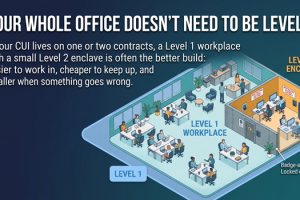
This audit covers CMMC Level 1 — the baseline requirement for all defense contractors handling Federal Contract Information. If your contract involves Controlled Unclassified Information (CUI), you may be subject to CMMC Level 2, which has significantly more extensive requirements.
The key platform distinction for Level 2: commercial Microsoft 365 tiers (including Business Premium) are not sufficient for CUI environments. CMMC Level 2 programs require Microsoft 365 GCC High, a government-community cloud variant with enhanced data residency and compliance controls.
⚠️ Self-Assessment Programs Only. The Overwatch Tools L2 CUI Enclave Package is scoped for CMMC Level 2 programs eligible for annual self-assessment. Programs required to engage a C3PAO for third-party assessment are not in scope. If you're unsure which category applies to your program, the free consultation is the right place to start.
How the Turnkey Package Addresses the M365 Gap
The Overwatch Tools Turnkey CMMC Level 1 Compliance Package is built around the practical reality that M365 compliance takes expertise — not because the controls are impossible, but because knowing which controls matter, where to find them, and how to document them correctly is what separates organizations that pass from organizations that scramble.
What's Included for M365 Users
Most clients working from an existing M365 Business Premium environment complete their Level 1 assessment package in 2–4 weeks. Timeline varies based on your current configuration state and availability for consultation sessions.
Let's Look at Your M365 Tenant Together
Before your assessment does. A free 30-minute consultation review covers the configuration items most likely to create problems — and gives you a clear picture of what you need to address before moving forward.
Book Your Free 30-Minute Consultation See the Turnkey Package →No obligation. No sales pressure. Just a professional review of where you actually stand.